This tutorial is applicable to: eo2suite desktop client
Introduction
In the eo2suite desktop version 2.5.0, a new ” image compression ” feature is added to address the slow loading problem of collaboration caused by large images in user documents. This feature can intelligently compress the image size in the document (supporting JPEG/PNG format), which can reduce the image space by 50%-80% while maintaining acceptable clarity for the human eye.
Methods/Steps
Step 1: Open the document
- Start the eo2suite desktop client and open the document that needs to compress images.
- Make sure the document contains images that need to be compressed (currently only JPG/PNG formats are supported)
Step 2: Enable image compression
- Select the picture, you can hold down the ctrl key to select multiple pictures
- Click [Image Settings] on the right toolbar and select [Compress Images] in the right panel.
- Or right-click the image and select [Compress Images] from the contextmenu .
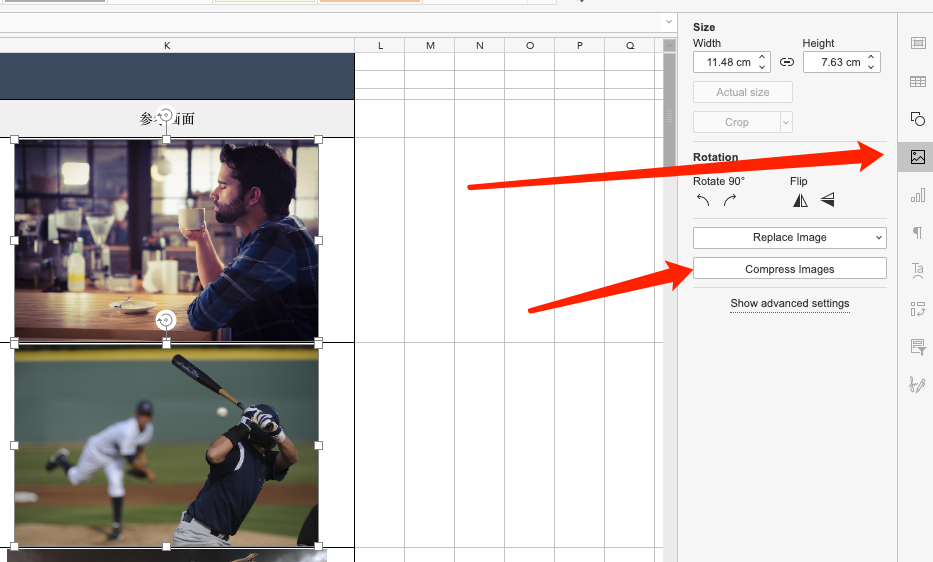
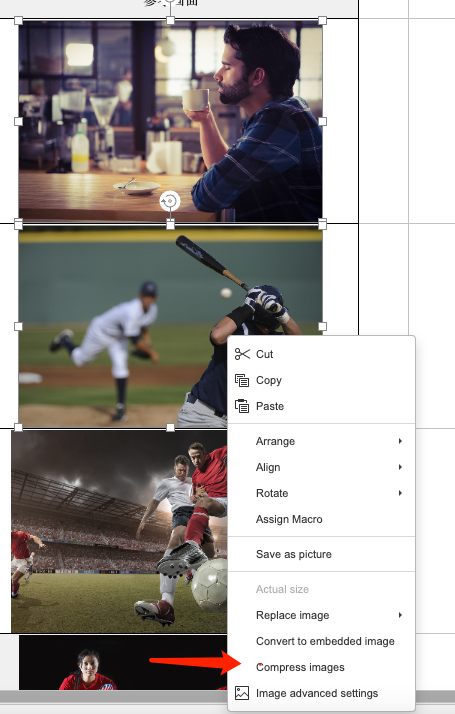
Step 3: Set compression parameters
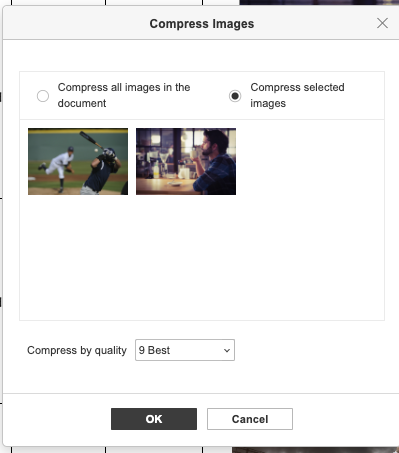
In the pop-up window, you can select:
- Compress all images in the document
- Compress selected images
If the document contains many images that need to be compressed, please select [Compress all images in the document] directly.
Compression options : 9 best, 8 high quality, 5 quality, 3 low quality
Step 4: Perform compression
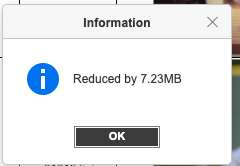
After confirmation, click “OK” and wait for the progress bar to complete (large documents take about 10-30 seconds)
Frequently asked questions
Q: Will the image become blurry after compression?
A: It will not be blurred and the image will maintain its original resolution.
Q: Can I restore a single picture?
A: It cannot be restored. Please make sure to back up the document before operation.
Q: Does it support compressing images in PDF?
A: Currently only the three Office document types are supported.
Tip: The original size of the sample document is 9.32MB. Select the default “9 Best”. The compressed document size is 2.11MB, which reduces the space by 77.3%.